


CHSN
3.1255.00 Reviews
App Specs
- Version
- Varies with Device
- Updated On
- License
- Free
- Downloads
- 50,000+
- Developer
- CHSN
- Categories
- Sports
- Platform
- Android
Screenshots
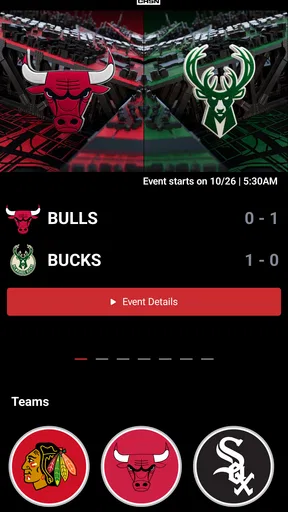

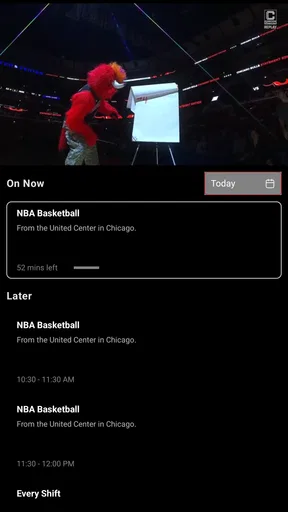
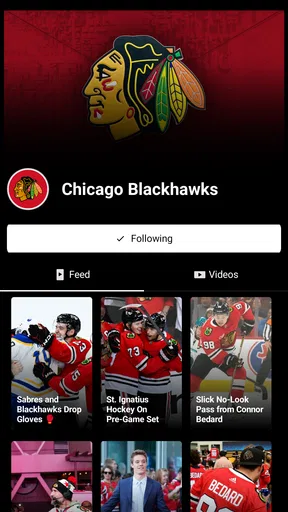
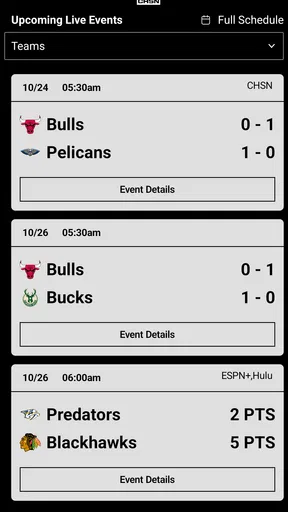

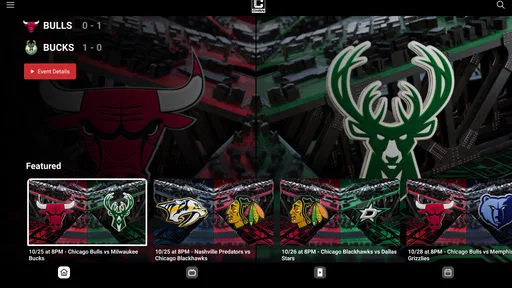
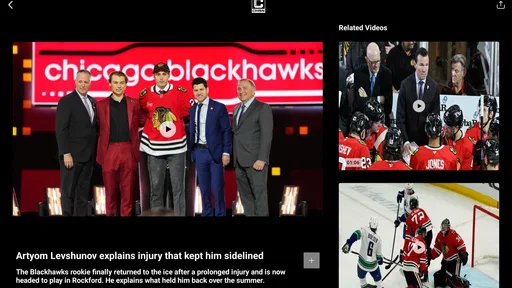
 Analysis by AppCompare
I would approach CHSN as a team-focused sports companion, not as another social network. Its purpose is tied to Chicago sports, so its usefulness depends less on how many general features it has and more on whether you want a direct way to follow the network. That makes the first question practical: do you regularly look for Chicago sports coverage, or are you only after occasional scores and headlines?
Start with the cost, then judge the fit
CHSN is free to download, which makes trying it a low-commitment decision. The app also offers in-app purchases, with individual items listed from $19.99 to $349.99. Those figures make it worth checking what a purchase covers before paying; I would not assume that installing the app means every part of the experience is free, or that a paid item is necessary for casual use.
That distinction matters if you only want to explore. I’d install it first, see what is accessible without paying, and decide whether the content fits my routine before considering any purchase. The high end of the listed purchase range is substantial, so I would treat a payment as a deliberate choice rather than tapping through quickly. The free entry point is useful, but it is not the same as evidence that every viewing option comes at no cost.
What kind of sports habit it can support
The app is from CHSN, the Chicago Sports Network, and is categorized as a sports app. That gives it a much narrower identity than a broad sports hub: its appeal is strongest when Chicago coverage is what you actually seek. If your interest is spread across leagues, teams, and sports from many cities, a multi-sport app may be a more convenient daily starting point.
I’d use CHSN when I want to check in around a Chicago game or make the network part of my regular sports routine. For example, on a busy evening I might open it before settling in, see whether there is something relevant to watch or follow, and then decide whether to stay with the app or switch to a general scores service for a wider picture. That two-step routine avoids expecting one local network app to replace every sports tool on my phone.
Who is likely to get the most value
CHSN makes the most sense for Chicago fans who already know they want the network’s coverage and are comfortable using a dedicated app for it. It may also suit someone who prefers a focused destination over a crowded feed of unrelated sports news. A narrow focus can be a benefit: less browsing through teams you do not follow, and a clearer reason to open the app when a Chicago game is on your mind.
I would be more cautious if I mainly want quick scores, broad league coverage, or a single place to compare updates across several teams. General sports apps are usually better suited to those jobs because their purpose is breadth. A network-specific app is a different trade-off: potentially more relevant for its audience, but less useful as an all-purpose sports dashboard.
Worth Reading Before You Choose

Switching to Android Auto Means Rethinking Your Driving Routine

Google Calendar Makes a Crowded Week Easier to Manage

Baby Panda World Brings Quick Play to Modern Phones, but Its Game Library Feels Busy

ESPN’s Live Game View Makes Following Close Games Easier

QuizzLand Review: A Good Fit for Short Trivia Breaks, Not Every Player

Basketball Stars: Multiplayer Is Fast, but Can It Recover When Matches Go Wrong?
Getting Started with CHSN
First things first, downloading CHSN was a breeze. It's available on both Android and iOS, so no one's left out. Once installed, the setup was super intuitive. You’re greeted with a sleek interface that’s both modern and user-friendly. I didn't have to jump through hoops to get started, which is always a plus.
After setting up my profile, I was immediately intrigued by the app's layout. It’s like your favorite social media platforms had a baby and named it CHSN. Everything is right where you’d expect it to be, making navigation a piece of cake.
Features That Stand Out
Now, let’s talk about what makes CHSN special. The app is packed with features, and some of them truly shine. Here's a quick rundown:
- Real-Time Updates: The app provides real-time notifications for messages and updates, so you're always in the loop. It's perfect for those who hate missing out.
- Customization Galore: I love how customizable the app is. From themes to notification sounds, you can tweak it to match your style.
- Group Chats: Creating and managing group chats is a breeze. Whether it's a family group or a project team, CHSN handles it effortlessly.
- Privacy Controls: The app takes privacy seriously. You have full control over who sees your posts and who can contact you.
One thing that caught my eye is the app’s ability to seamlessly integrate with other platforms. You can link your social media accounts, making it easy to share updates across different networks. Pretty neat, right?
Daily Use and Performance
In terms of daily use, the app is incredibly smooth. I didn’t experience any lags or crashes, which is a big deal for me. The developers clearly put a lot of effort into ensuring a seamless experience. The battery drain is minimal, which is a relief for those of us who are constantly on our phones.
What I also love about CHSN is its community. The app fosters a positive environment where users can interact without the usual social media drama. It’s refreshing and, honestly, a breath of fresh air. Plus, the built-in support feature is top-notch. Got a question or an issue? They’ve got your back with quick responses and helpful tips.
Final Thoughts on CHSN
All in all, CHSN has quickly become one of my go-to apps for staying connected. It's not every day you find an app that combines functionality, style, and a touch of fun all in one place. Whether you’re looking to streamline your communication or just want a new platform to explore, CHSN might just be what you need.
So, why not give it a shot? You can download it from the App Store or Google Play and dive into a world of effortless connection. Trust me, you won’t be disappointed!
A sensible way to test it
Rather than treating a sports app as something to keep open all day, I’d test CHSN around a specific moment: a game you already plan to follow, a pre-game check-in, or a quick look during a break. That gives you a fair sense of whether it earns a place in your routine. If you find yourself opening it only when a Chicago event is relevant, that can still be good value for a free install; it simply means it is a situational tool rather than a constant companion.
Notifications deserve a little thought, too. Sports alerts can be helpful when you are away from a screen, but they can also interrupt work or family time if they arrive too often. I’d begin with only the alerts I genuinely want, then adjust after a few days. The useful question is not whether an app can send updates, but whether those updates arrive at moments when they help you act: deciding to tune in, checking a developing story, or catching up after missing part of a game.
Keep expectations tied to the audience
The name and publisher make CHSN’s Chicago focus central to its value. That is an advantage for a local fan who wants a dedicated destination, but a meaningful limitation for someone whose sports life revolves around teams elsewhere. Before paying for anything, I’d confirm that the content or access on offer matches the teams and viewing habits I care about. A purchase can be poor value even when the app itself is well made if it does not serve your actual schedule.
There is also a useful distinction between following coverage and managing every part of being a fan. A network app can be the place you turn for its own material, while a scores app can remain better for rapid league-wide checks and a streaming service may be the better choice when your priority is a particular broadcast. I would not force one app to do all three jobs. Keeping CHSN for its specific role can make more sense than expecting it to replace broader tools.
The app is rated for Everyone, and its audience is not limited by an age category in the way some sports or entertainment products are. The rating does not, by itself, tell me whether every feature suits every household, so I would still use ordinary judgment when deciding what younger fans should access and when. For most adults choosing a sports app, the more important question is whether Chicago coverage is relevant enough to justify installing a dedicated destination.
How established it is, and what that means for a new user
CHSN was released on October 25, 2024, and has reached over 10,000 installs. It has an average rating of 3.7 from 342 ratings, alongside 161 written reviews. I read those figures as a sign that it has an existing audience, but not as a reason to assume every fan will have the same experience. A rating can blend different devices, expectations, and reasons for using the app; I’d weigh it alongside my own trial and the specific role I need the app to fill.
That is especially true for a regional sports app. Someone who opens it frequently for Chicago coverage may judge it very differently from a person who expected a broad sports portal. When reading other people’s comments, I’d look for details about the particular use they describe rather than relying on a general thumbs-up or complaint. The most relevant review is the one that resembles your own situation: same kind of fan, same reason for installing, and similar expectations around paid access.
My buy-or-skip call
I’d recommend trying CHSN if you follow Chicago sports and want a focused app from the network, especially if you are comfortable first exploring its free access and checking purchase details before spending. I’d skip it as a main sports app if you want wide coverage across teams or need a single all-purpose place for scores and news. In that case, a general sports service is a better fit, with CHSN only worth adding if its local coverage fills a clear gap.
My practical verdict is to start free, use it during a real game-day routine, and judge it by whether it saves you effort or gives you coverage you would otherwise miss. The paid options make careful checking important, but they do not change the basic decision: this is most worthwhile when its Chicago focus lines up with your interests. If that match is strong, a dedicated app can be handy; if it is not, there is little reason to pay for a service you are unlikely to open.
Pros
- User-friendly interface with intuitive navigation.
- Comprehensive health tracking features.
- Customizable alerts for medication and appointments.
- Integration with popular fitness devices.
- Secure data encryption for privacy protection.
Cons
- Limited features in free version.
- Occasional syncing issues with devices.
- Some features require constant internet.
- Customer support response can be slow.
- No option for multi-language support.
FAQs for CHSN
What is CHSN, and what does it offer to users?
CHSN is a cutting-edge application designed to enhance social connectivity and networking among users. It provides a platform for sharing updates, connecting with friends, and discovering new communities. The app also integrates features like event planning, group chats, and personalized content recommendations, making it a comprehensive tool for staying connected.
Is CHSN available on both Android and iOS devices?
Yes, CHSN is available for download on both Android and iOS platforms. Users can easily find the app on the Google Play Store for Android devices and the Apple App Store for iOS devices. This cross-platform availability ensures that users can stay connected regardless of their device preference.
Does CHSN require a subscription or in-app purchases?
CHSN offers a free version with a range of features. However, to access premium features such as advanced networking tools, ad-free browsing, and exclusive content, users may opt for a subscription. In-app purchases are also available for users who wish to enhance their experience further.
How does CHSN ensure user privacy and data security?
CHSN prioritizes user privacy and data security by implementing robust encryption protocols and privacy settings. Users have control over their data, with options to customize their privacy settings. The app complies with international data protection regulations to ensure that user information is safeguarded at all times.
What are the system requirements for installing CHSN?
To install CHSN, Android users need a device running Android 5.0 or later, while iOS users require iOS 11.0 or later. The app is optimized for both smartphones and tablets, ensuring a seamless experience across different devices. Sufficient storage space and a stable internet connection are also recommended for optimal performance.


